
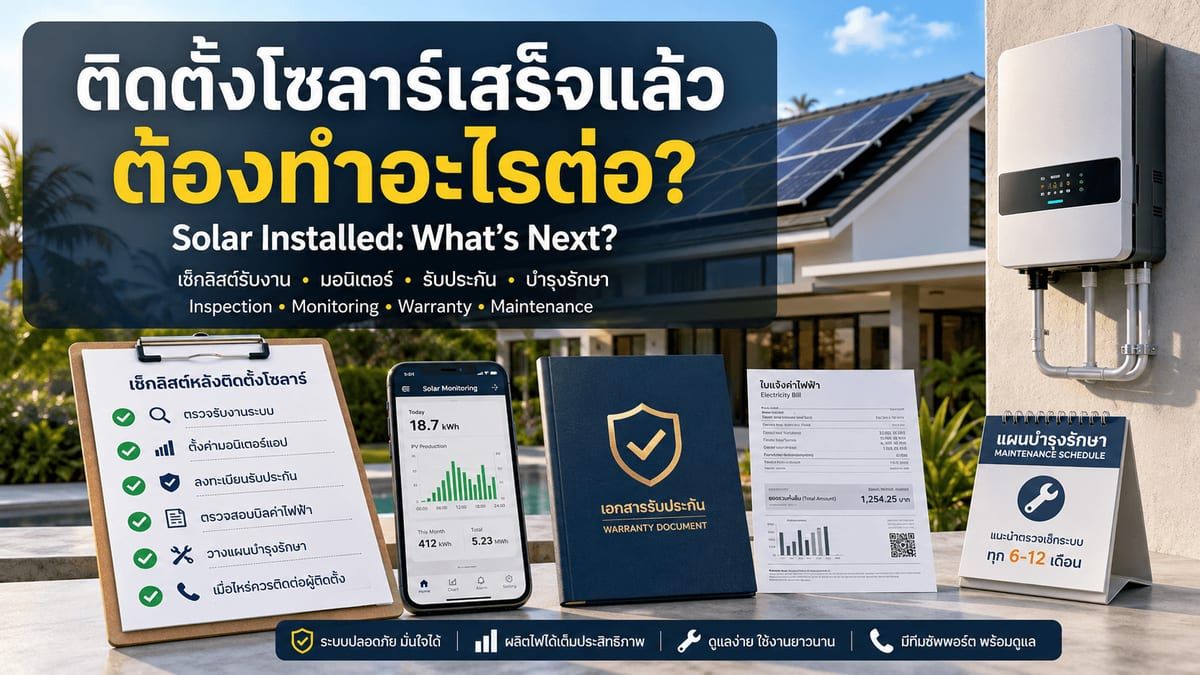
The day your solar system goes live is exciting — but it's also the moment when your responsibilities as a system owner begin. A few quick steps in the first days and weeks will protect your investment, ensure your warranty stays valid, and help you get the most from your panels for the next 25+ years.
Step 1: Inspect the Installation Before Signing Off
On handover day, walk through the installation with your technician before signing any acceptance documents. This is your opportunity to ask questions and confirm everything is correct.
- All panels are mounted securely with no visible damage or cracks
- Cabling is neatly routed and protected from direct sun and rain
- The inverter display shows normal operating status (not error codes)
- The AC and DC circuit breakers are labelled clearly
- You receive all warranty documents, wiring diagrams, and manuals
Step 2: Set Up Your Monitoring App
Most modern inverters (Solis, Huawei FusionSolar, Deye, Growatt) connect to a cloud monitoring platform via Wi-Fi or mobile data. Your installer should walk you through setting up the app during handover — if not, ask them to do so before they leave.
| Inverter Brand | Monitoring App | Platform |
|---|---|---|
| Solis | SolisCloud | iOS / Android / Web |
| Huawei | FusionSolar | iOS / Android / Web |
| Deye | SolarmanPV | iOS / Android / Web |
| Growatt | ShinePhone | iOS / Android / Web |
Common inverter brands and their monitoring apps
Once connected, you can track daily production in kWh, see live power output, check how much energy you've exported or imported from the grid, and receive alerts if your system stops producing unexpectedly.
Step 3: Register Your Warranties
Most panel and inverter manufacturers require you to register your product within 30–90 days to activate the full warranty. Your installer should provide serial numbers and registration links. Don't skip this step — an unregistered product may not be covered if something goes wrong.
- Solar panels: typically 25-year product warranty + 25-year linear performance warranty
- Inverter: typically 5–10 years (some brands offer extended warranty options)
- Installation workmanship: ask your installer for their labour warranty period
- Battery (if installed): typically 10 years / 4,000+ cycles for LiFePO4
Step 4: Understand Your First Electricity Bill
Don't be alarmed if your first bill after installation looks high. PEA (Provincial Electricity Authority) bills cover a full billing cycle — and if your system was installed midway through the cycle, the bill will still include days when you were importing 100% from the grid. Wait for the second or third bill to see your true savings.
Once you have a full billing cycle with solar, compare the kWh imported from the grid against the same month last year (or against your monitoring app's production data). The difference shows how much your system has offset.
Step 5: Plan Your Maintenance Schedule
Solar panels require very little maintenance, but a small amount of regular care extends their lifespan and keeps output high. In Phuket's climate, the main concern is dust, bird droppings, and debris accumulation — especially after the dry season.
| Task | Frequency | Who Does It |
|---|---|---|
| Visual check from ground (cracks, debris, shading) | Monthly | Owner |
| Check monitoring app for unexpected drops in output | Monthly | Owner |
| Panel cleaning (soft brush / gentle water rinse) | Every 3–6 months | Owner or technician |
| Full system inspection (wiring, connectors, mounting) | Annually | Qualified technician |
| Inverter fan/vent cleaning | Annually | Qualified technician |
| Performance data review vs. first-year baseline | Annually | Owner + installer |
Recommended maintenance schedule for Phuket installations
Step 6: Know When to Call Your Installer
- The inverter display shows a persistent error code (not a temporary fault during a storm)
- Your monitoring app shows zero or very low production on a sunny day
- You notice unusual sounds from the inverter or smell burning near electrical components
- A panel is visibly cracked, delaminated, or discoloured after a storm
- Your electricity bill has not decreased significantly after two full billing cycles
Have questions about your system — or thinking about your next upgrade? Our team is available for post-installation support and free consultations.
Frequently Asked Questions
How soon will I see savings on my electricity bill?
Most homeowners see a meaningful reduction from their second or third bill after installation. The first bill often covers days before the system was switched on. From the second full billing cycle onward, savings should be consistent and measurable.
Do I need to do anything with PEA after installation?
If your system is an on-grid (grid-tied) system, your installer should have handled the PEA grid-connection notification (PDP/PEA approval) before energising the system. If you plan to export excess power back to the grid (VSPP scheme), there is a separate registration process — ask your installer whether they handled this or whether it is your responsibility.
My monitoring app shows lower output on cloudy days — is this normal?
Yes, this is completely normal. Solar panels produce electricity from light, not heat — but cloud cover reduces the amount of light reaching the panels. On overcast days in Phuket, expect your system to produce roughly 20–40% of its rated capacity. If output drops to near zero on a partially cloudy day, that warrants a check.
Can I add more panels or a battery later?
In most cases, yes. On-grid systems can often be expanded by adding panels up to the inverter's maximum input capacity. Adding a battery is also possible with most modern hybrid-ready inverters. Contact your installer to confirm what your specific system supports before purchasing any expansion equipment.
What happens to my system during a power outage?
Standard on-grid systems shut down automatically during a grid outage — this is a safety requirement so that exported power does not endanger PEA workers repairing lines. If you need power during outages, you need a hybrid inverter with battery backup. Ask your installer about your specific system's grid-outage behaviour.